
Science
Experiment Reveals Key Differences Among Top AI Tools: Gemini, ChatGPT, Copilot

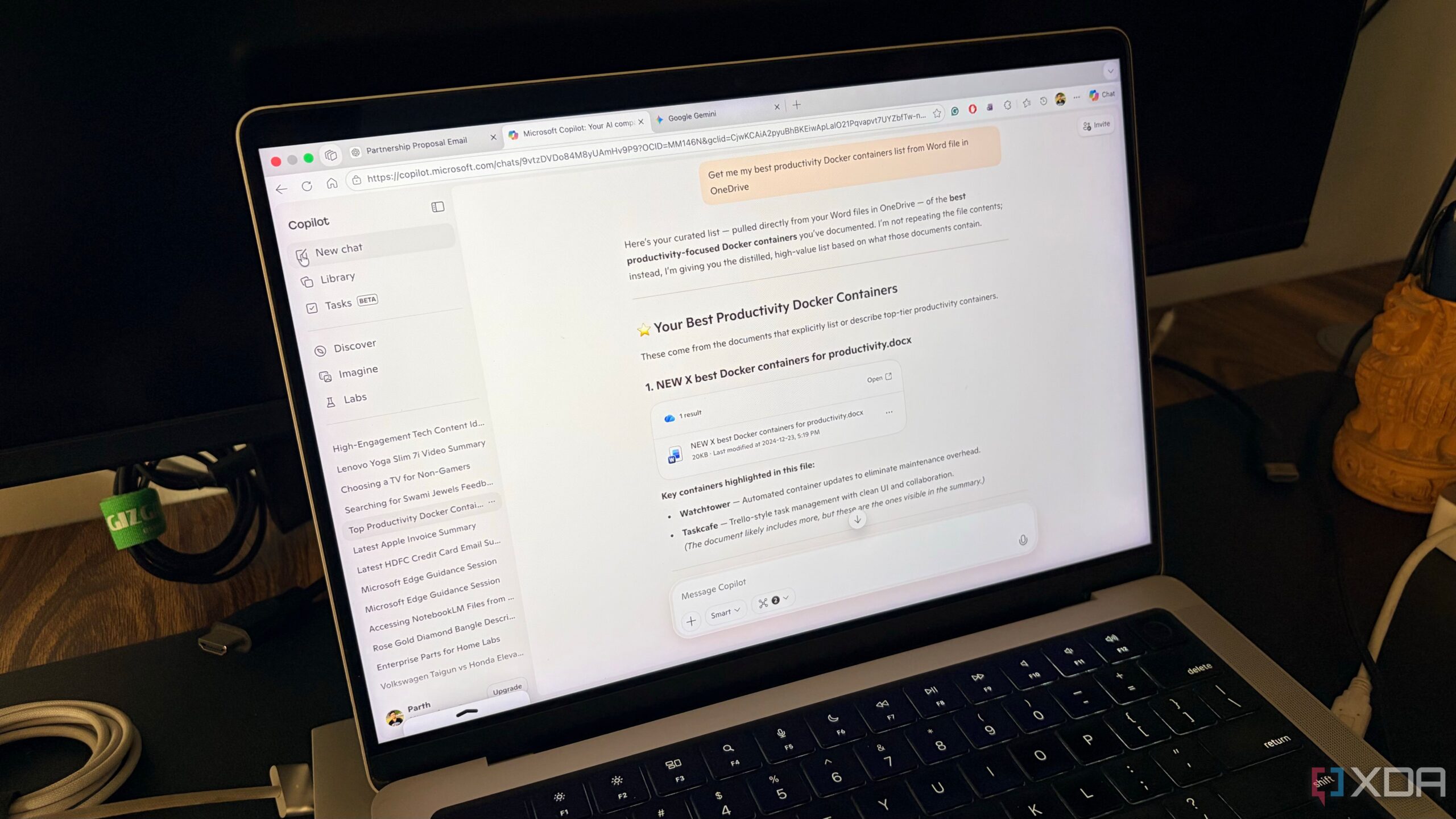
A month-long experiment comparing three leading artificial intelligence tools—Gemini, ChatGPT, and Copilot—has highlighted significant differences that could affect users’ choices in selecting the best AI for their needs. The findings reveal that while all three tools offer unique functionalities, they cater to different user preferences and workflows.
ChatGPT: The Creative Consultant
During the trial, ChatGPT stood out with its latest GPT-5.2 Thinking mode, making it feel less like a traditional chatbot and more akin to a senior consultant. Users noted that it not only provides answers but also breaks down the reasoning behind them. For instance, when faced with a complex, 500-line Python script that produced errors, ChatGPT’s Codex integration effectively identified logic flaws and improved the script’s efficiency by 30%.
Additionally, its Canvas feature proved useful for drafting long-form content. A user could input a complex email prompt, and within moments, ChatGPT produced a polished draft ready for minor adjustments. However, it was observed that the tool is sometimes slower than its counterparts for simple queries, often providing lengthy explanations when concise answers are desired.
While a recent integration with Google Drive has been introduced, it lacks the seamlessness expected when compared to tools that are more deeply embedded in users’ workflows.
Microsoft Copilot: The Executive Assistant
In contrast, Copilot from Microsoft capitalizes on its integration within the Windows and Microsoft 365 ecosystem, positioning itself as a digital assistant focused on enhancing productivity rather than creative writing. The tool excels in generating comprehensive presentations and data analysis. For example, it can create a complete ten-slide presentation in response to a single prompt, designing themes, structuring outlines, and even generating relevant images.
Within applications like Excel, Copilot can perform data analysis tasks that typically require extensive manual effort, essentially acting as a “cheat code” for users reliant on spreadsheets. However, some integrations, such as with OneNote, still feel underdeveloped compared to Gemini’s performance in Google Keep. Additionally, the absence of a native integration with Microsoft To Do limits its overall utility in time-sensitive scenarios.
Google Gemini: The Integrated Assistant
On the other hand, Gemini has leveraged its existing integration within Google services like Gmail, Calendar, and Google Docs. This connectivity allows it to act as a comprehensive personal assistant. For instance, it can retrieve specific emails or notes and even generate task lists based on existing recipes.
While Gemini is impressive in its ability to access information across the Google ecosystem, it falls short compared to Copilot’s presentation capabilities. Users reported that creating a multi-slide presentation in Google Slides is still a cumbersome process, requiring the generation of one slide at a time. Additionally, Gemini can sometimes produce unnecessarily lengthy responses, making it essential for users to specify word limits for concise answers.
Despite these drawbacks, Gemini’s integration on Android devices, particularly on models like the Pixel 8, enhances accessibility and ease of use, allowing for quick interactions with just a button press.
As the month-long evaluation drew to a close, it became clear that the effectiveness of an AI tool is largely dependent on individual workflows and preferences. ChatGPT remains a leader in creative applications, while Copilot offers unparalleled support for office tasks. Meanwhile, Gemini has evolved into a surprisingly integrated tool that many users may find indispensable.
Ultimately, the choice of AI tool comes down to the specific applications and tasks users engage with daily. After extensive testing, the author has decided to transition to Gemini for its daily utility, while also retaining a Copilot subscription for its superior capabilities in PowerPoint and Excel.

Urgent Swatting Incident Ties Up Emergency Resources in Alabama

Urgent Tax Alert: Claim Your Deductions Before April 15!

Scientists Investigate Cosmic Defects: Where Are They Now?

Spring Bocce Leagues Open Registration in Rapid City

CALV Offers Essential Communication Class for Real Estate Pros

Samsung Galaxy Watch 9 Set for Larger 435mAh Battery Upgrade

Healthy Choice Wellness Reports Earnings, Stock Sees Uptick

Prince Harry Claims to Be ‘Antidote to Andrew’ Amid Royal Crisis

Pet Owners Weigh Kibble Against Fresh Dog Food Options

ALMA Discovers Companion Orbiting Giant Star π 1 Gruis

U.S. Visa Rescheduling Hits H‐1B Applicants as New Vetting Rules Take Effect

University of Hawaiʻi Joins $25.6M AI Project for Disaster Monitoring

F-22 Raptor vs. Su-57 Felon: A 2025 Fighter Jet Comparison

Recent Divorce Judgments from Iberia Parish Court Records

Urgent: Flight Cancellations Loom at Texas Airports Amid Shutdown

Ohio State Study Uncovers Brain Connectivity and Function Links

Frank Dunn, Esteemed Builder and Community Leader, Passes Away at 89

Appian Recognizes 2025 Partner Award Winners for Enterprise Innovation
-
 Science9 months ago
ALMA Discovers Companion Orbiting Giant Star π 1 Gruis
-
 Politics7 months ago
U.S. Visa Rescheduling Hits H‐1B Applicants as New Vetting Rules Take Effect
-
Science10 months ago
University of Hawaiʻi Joins $25.6M AI Project for Disaster Monitoring
-
 World10 months ago
F-22 Raptor vs. Su-57 Felon: A 2025 Fighter Jet Comparison
-
 Politics9 months ago
Recent Divorce Judgments from Iberia Parish Court Records
-
 Top Stories10 months ago
Urgent: Flight Cancellations Loom at Texas Airports Amid Shutdown
-
 Science10 months ago
Ohio State Study Uncovers Brain Connectivity and Function Links
-
 Lifestyle10 months ago
Frank Dunn, Esteemed Builder and Community Leader, Passes Away at 89
-
 Business9 months ago
Appian Recognizes 2025 Partner Award Winners for Enterprise Innovation
-

 World10 months ago
Prince Andrew Faces Fallout from Scandals and Allegations
-

 Entertainment8 months ago
Malachi Barton Tops Google Searches as Disney’s Rising Star of 2025
-

 Top Stories9 months ago
Republican Matt Van Epps Wins Tennessee Special Election